
Home › Guide
How to use Tokutei Pass
The most effective study path: Vocabulary → Lessons → Practice exams → Real mock exam. Follow the 4 steps below; each step has screenshots of the app.
- 1Vocabulary
- 2Lessons
- 3Practice exams
- 4Real mock exam
Get started
Open the app and choose a language
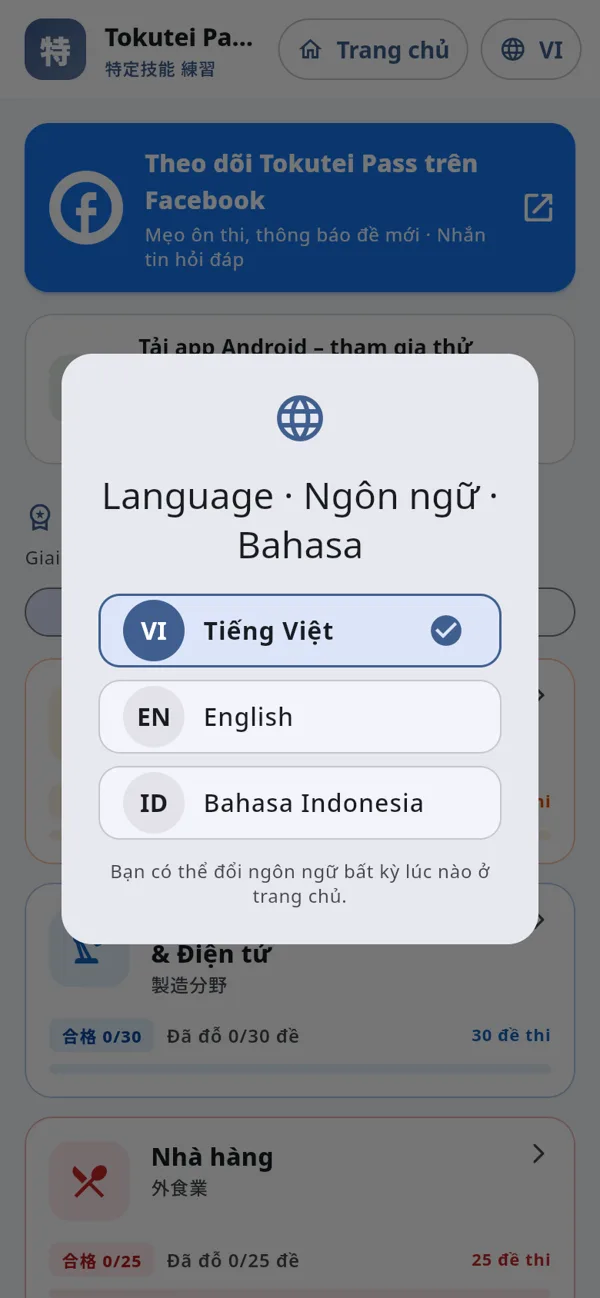
On tokutei-pass.com press "Start practicing". The first time, the app asks for a language: Tiếng Việt, English or Bahasa Indonesia (change it any time with the VI / EN / ID button at the top).
Get started
Choose your exam and field
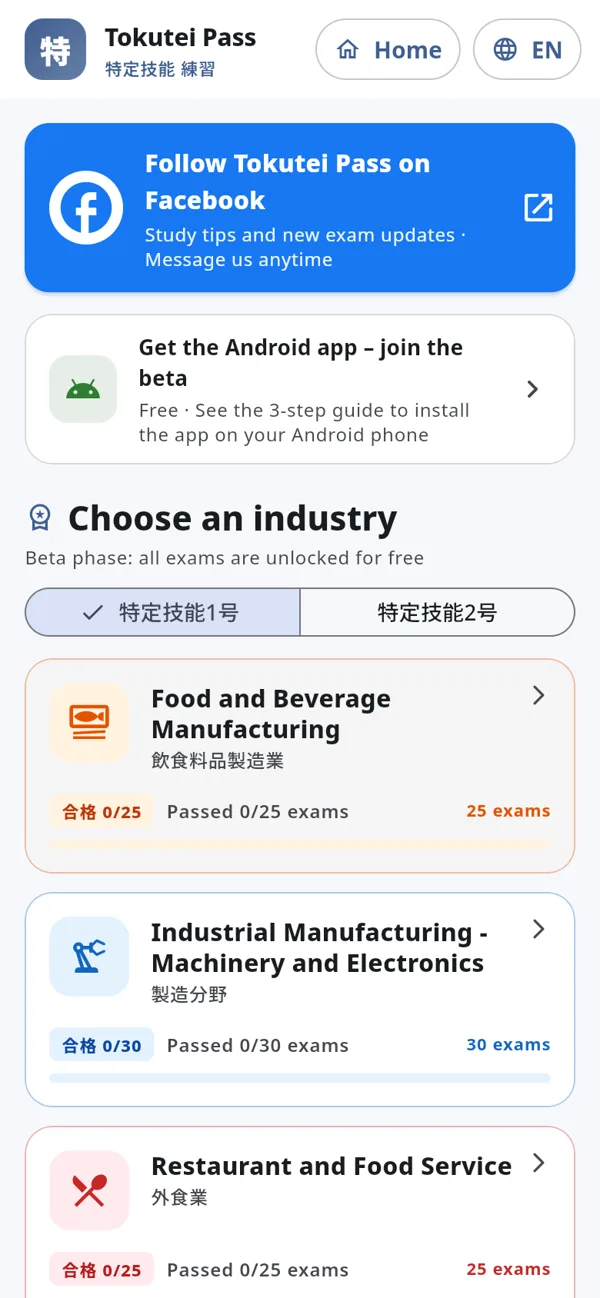
Pick 特定技能1号 or 2号, then tap your field. Each field card shows how many exams there are and how many you have passed (合格).
Step 1
Learn the key vocabulary
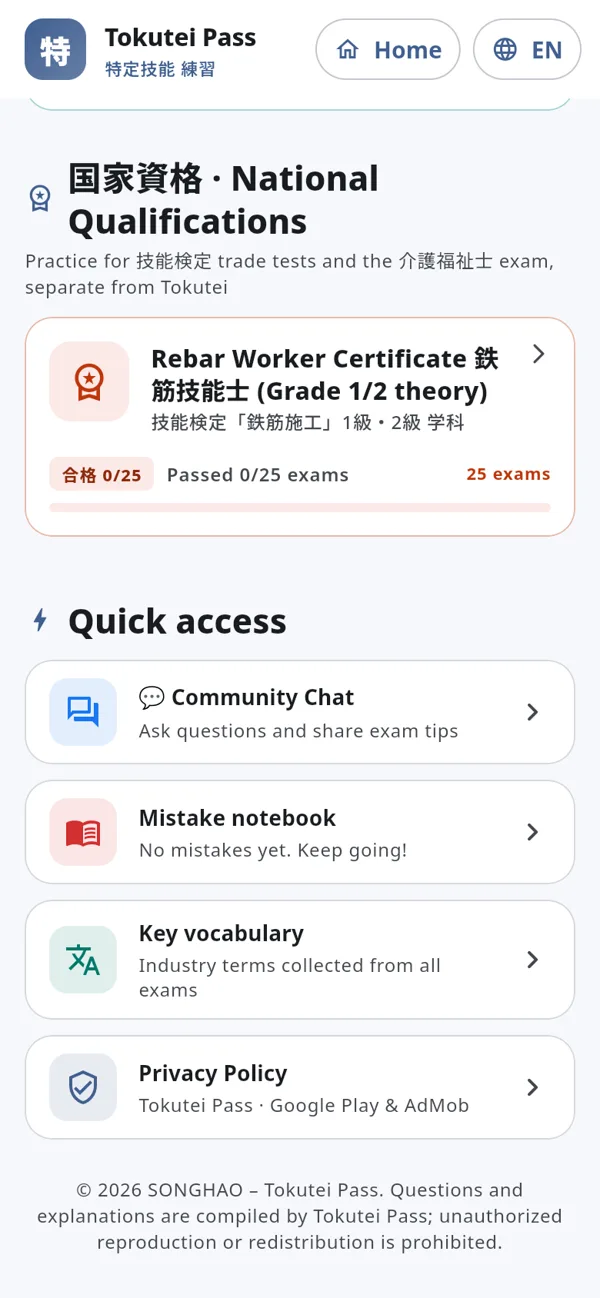
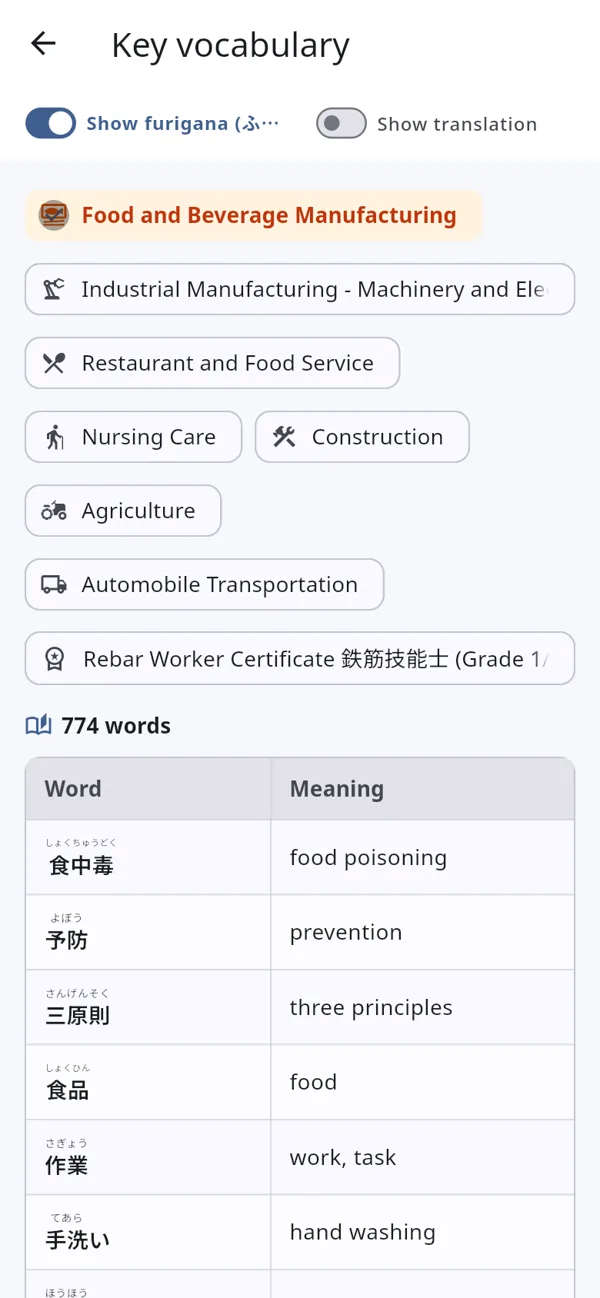
On the home screen scroll down to "Quick access" and tap "Key vocabulary": the field-specific words that appear most in the exams. Turn on "Show furigana" to see how kanji are read and "Show translation" to see the meaning.
Step 2
Study the lessons chapter by chapter
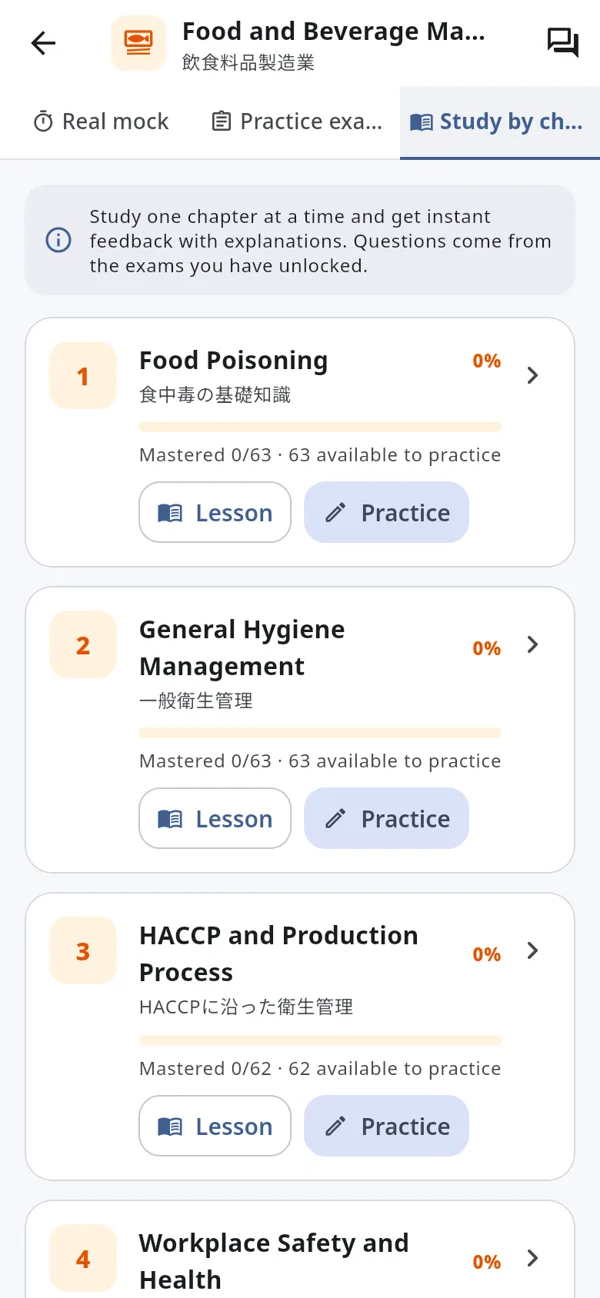
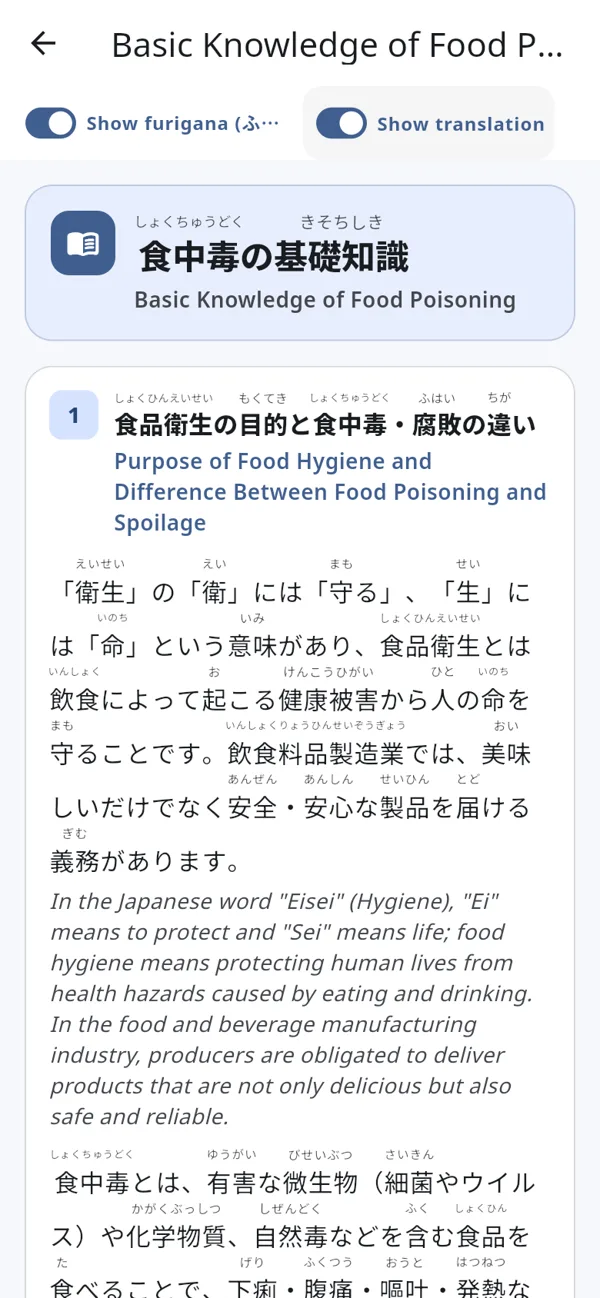
Open your field and choose the "Study by chapter" tab. Each chapter has a "Lesson" button (theory) and a "Practice" button (the chapter questions, graded one by one). Lessons show furigana on kanji; turn on "Show translation" to read the English side by side.
Step 3
Take practice exams
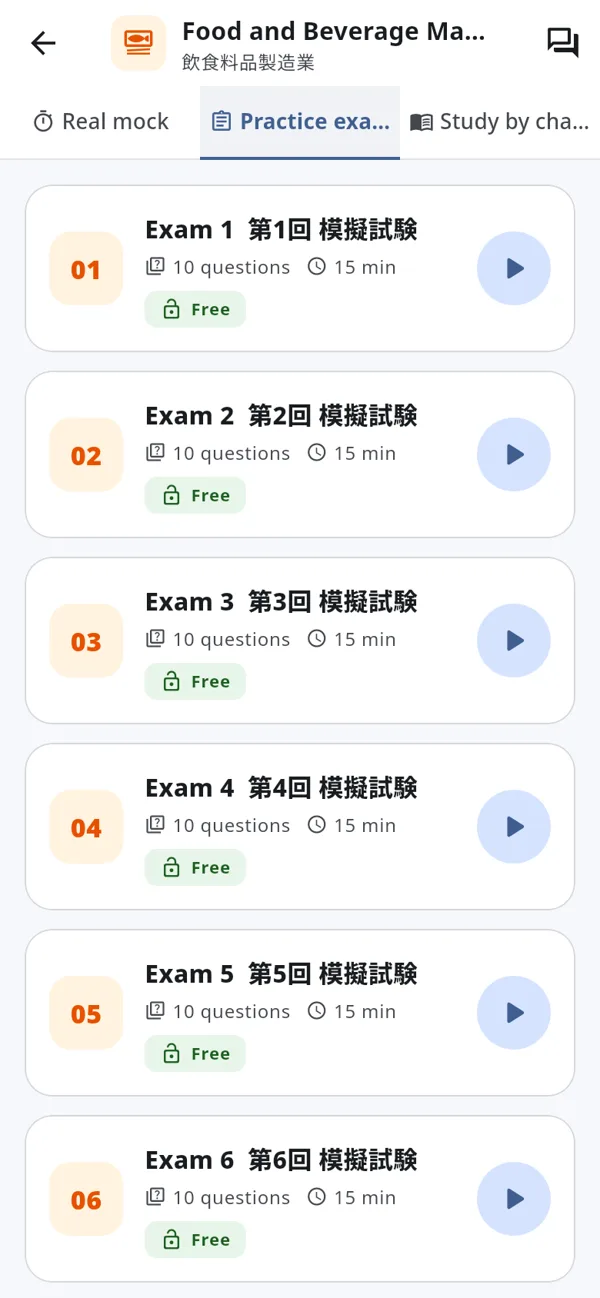
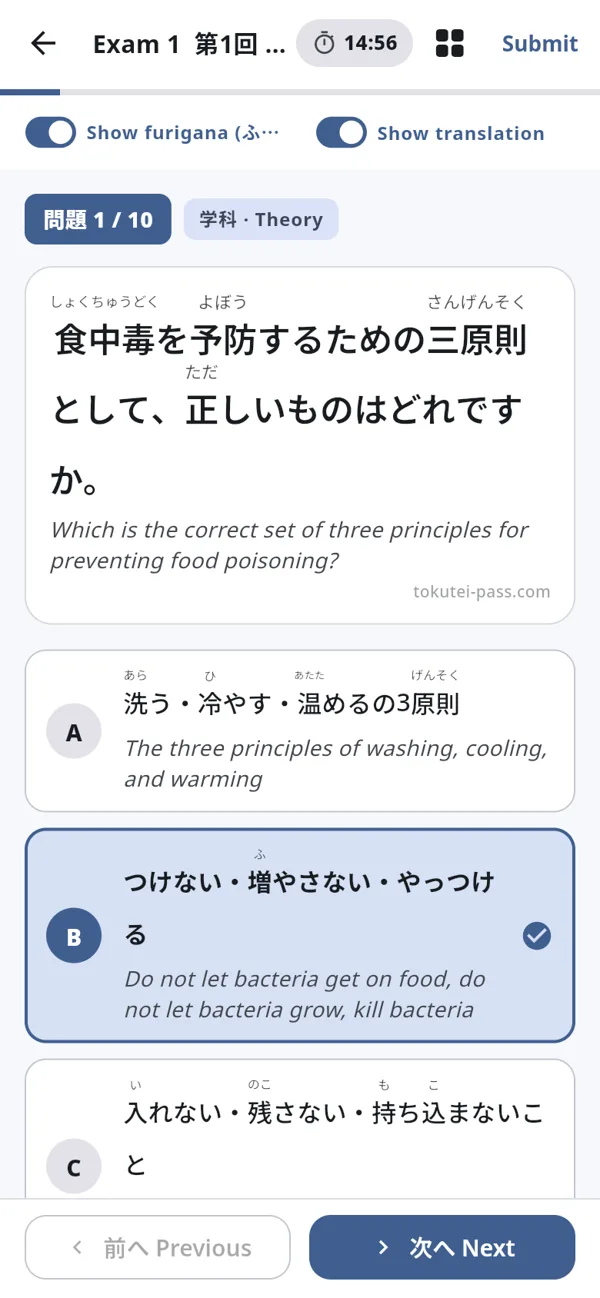
Choose the "Practice exams" tab and tap an exam (10 questions with a timer). While answering you can toggle furigana and translation, open the question list with the grid icon, and mark questions to review later. Press "Submit" when you finish.
Step 3
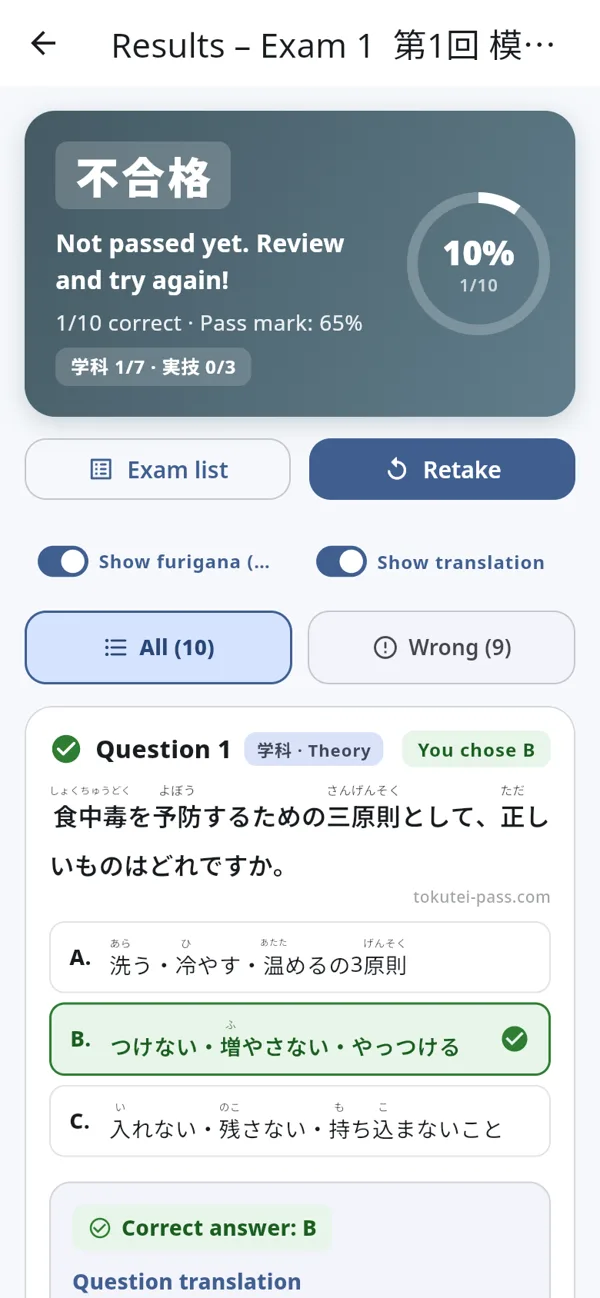
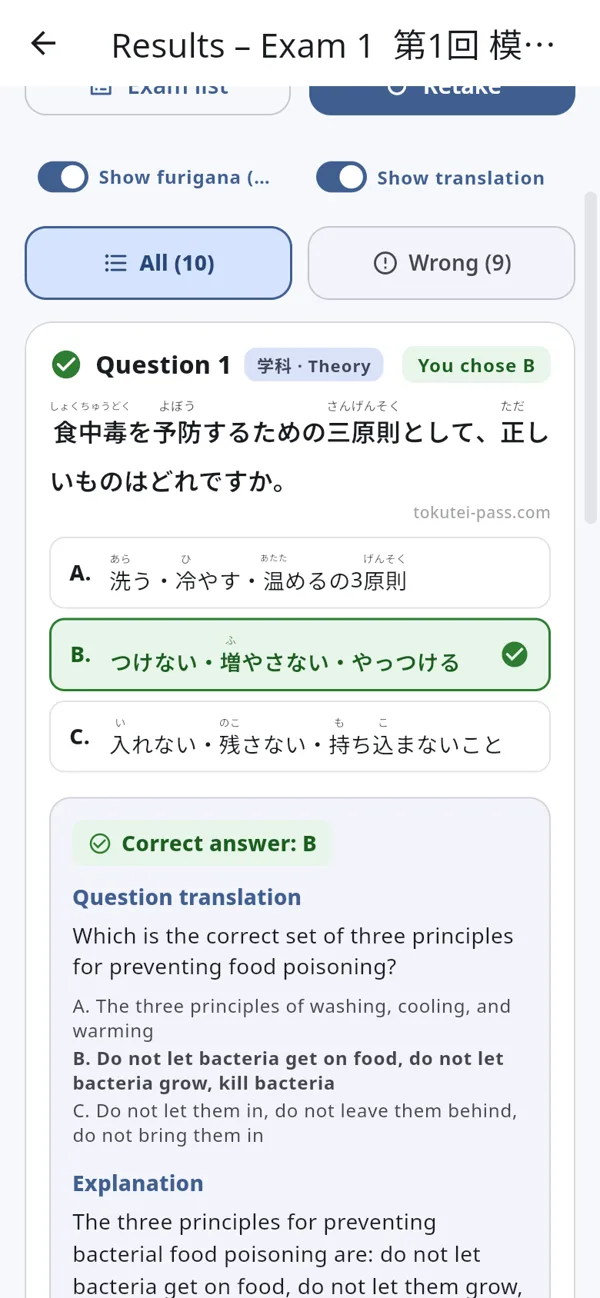
Check your results and explanations
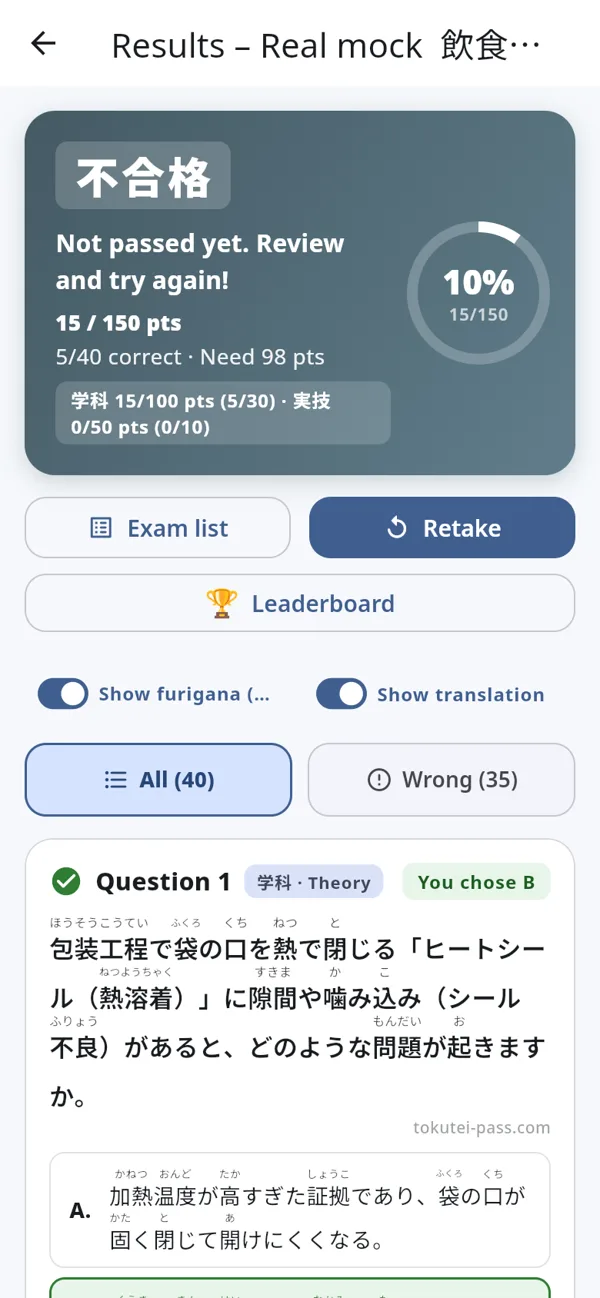
The result shows 合格 (pass) or 不合格 (fail) using the real exam pass mark. Scroll down to review each question: the correct answer, the translated question, why each option is right or wrong, and the vocabulary in it. Wrong answers are saved to your Mistake notebook automatically.
Step 4
Take the real mock exam
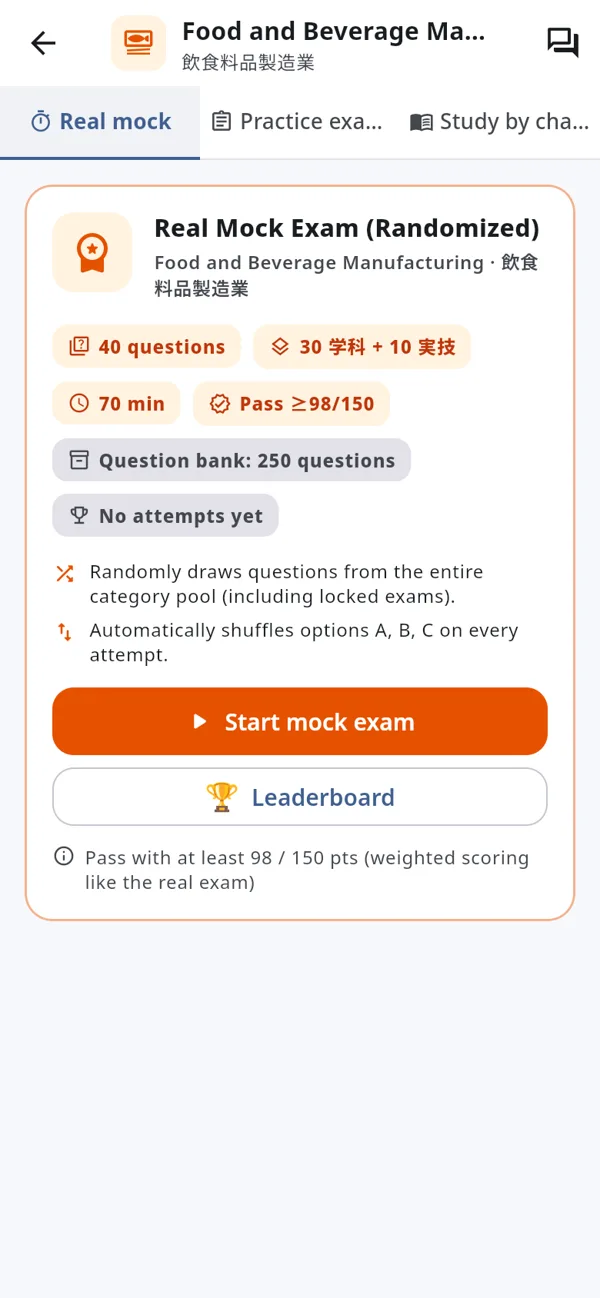
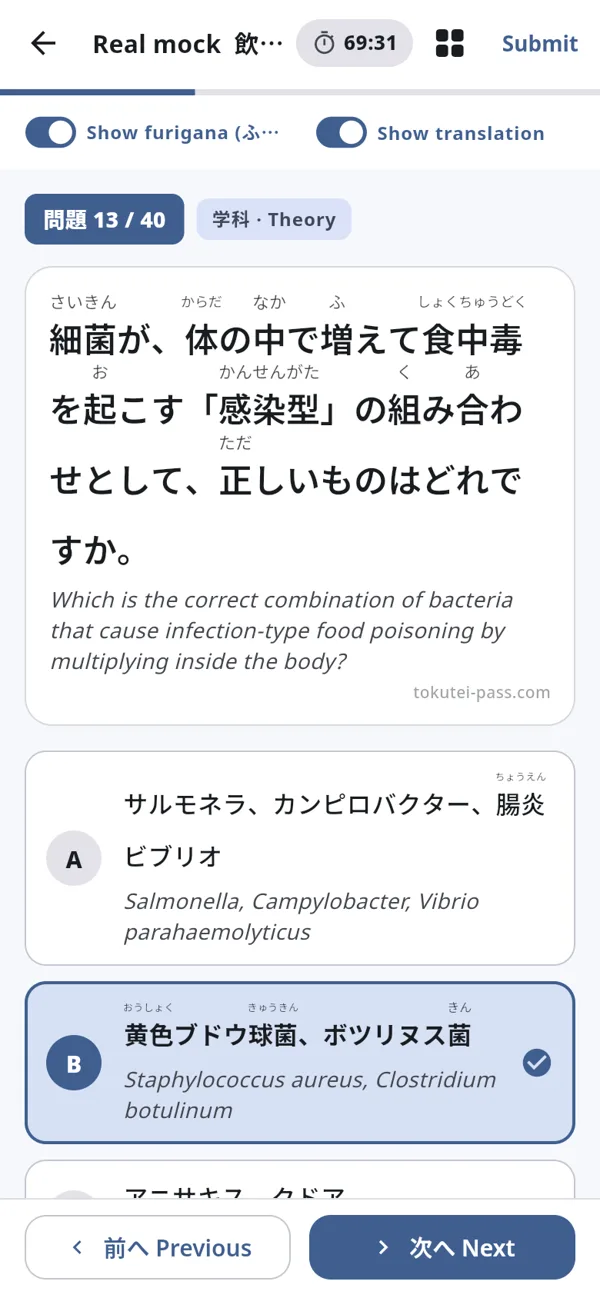
Once you know the practice exams, open the "Real mock" tab and press "Start mock exam". Questions are drawn at random from the whole question bank, with the same number of questions, time limit and scoring as the real test. Submit to see if you passed, then check the leaderboard.
Study tips
- Before exam day, open the Mistake notebook on the home screen to review the questions you got wrong.
- Repeat the real mock exam until you pass it consistently; the questions and answer order change every time.
- Add Tokutei Pass to your home screen to open it like an app: in Safari (iPhone) tap Share → "Add to Home Screen"; in Chrome tap ⋮ → "Add to Home screen".
- Questions? Ask in the app chat room or message the Tokutei Pass Facebook page.